Sending a press release is not about emailing the same message to a long list of addresses and waiting for articles to be published. The groundwork makes the difference: identifying the newsworthy aspect of the information, choosing media outlets whose audience might find it relevant, and presenting the release so that a journalist can understand and evaluate it quickly.
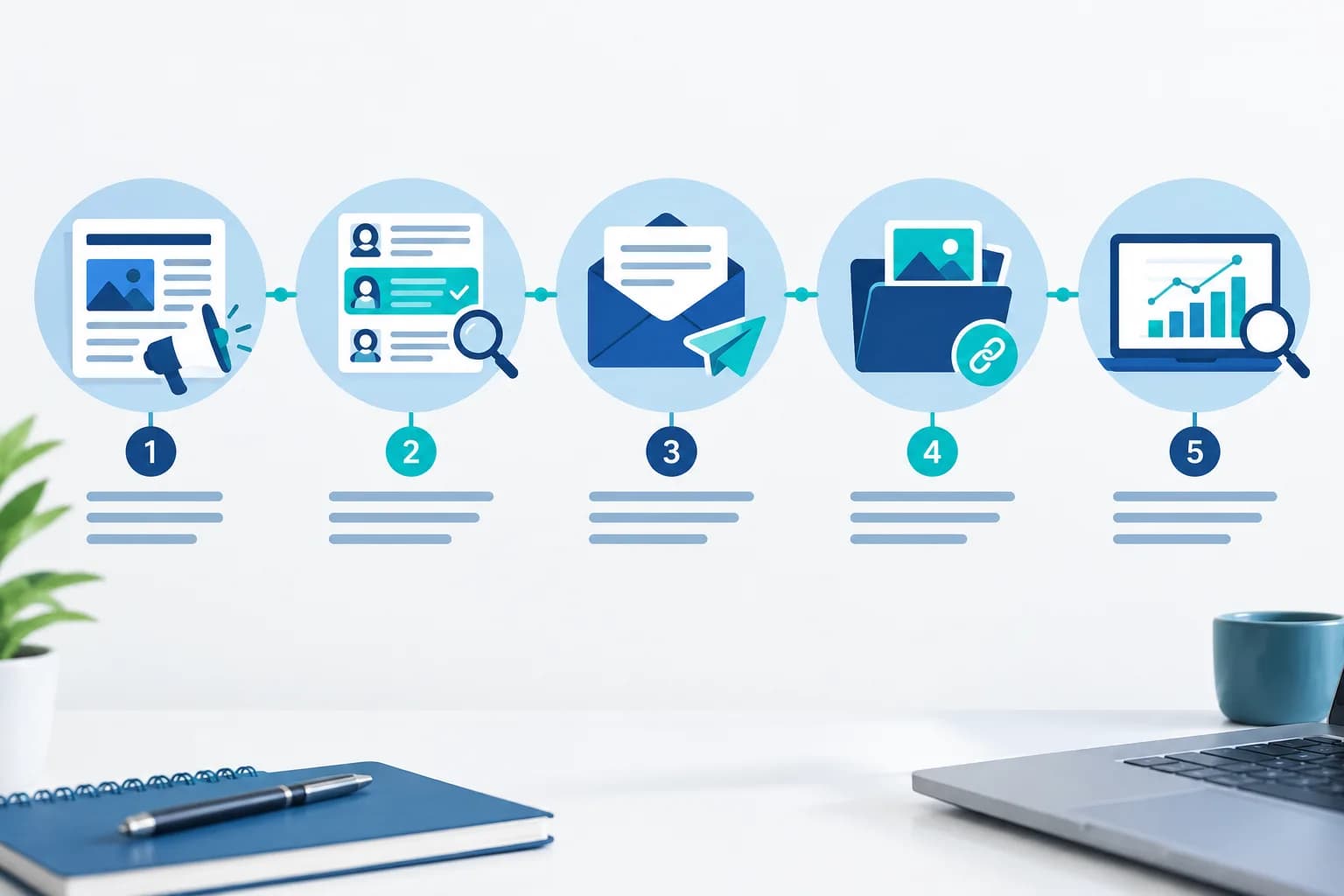
Distribution does not guarantee editorial coverage, as each outlet decides its content based on its own criteria. However, it can increase the chances of the release being read and considered. To achieve this, it is advisable to work through five phases: preparing the news, selecting contacts, sending a clear email, following up prudently, and measuring the results.
How to send a press release to the media: the complete process
Before sending a press release, it is worth changing your starting question. Instead of thinking 'how many media outlets can I send this to?', it is more useful to ask 'which audience might be interested in this, and which professional covers this topic?'. This perspective avoids indiscriminate sending and helps to build a more useful editorial proposal.
A local outlet might be interested in an impact within its territory. A trade publication, in a technical or market novelty. A generalist outlet will usually need an angle with broader reach. The same announcement should not be presented in the same way to everyone.
1. Check that the news is worth reporting
Not every company development requires a press release. A discount, a corporate congratulation, or a commercial message usually works better on your own channels, such as your website, newsletter, or social media. A press release makes sense when there is a verifiable fact that provides context to an audience: an opening, a launch with a clear novelty, a significant milestone, an initiative with local impact, or information that helps to understand a sector.
Define the approach before looking for contacts. Summarise the news in one sentence and answer three questions:
- What has happened and what makes it new?
- Who does it affect or who might be interested?
- Why does it matter now?
If these answers depend solely on the company wanting to sell more, it still lacks an informative approach. If they explain a specific novelty and its relevance, there is already a reasonable basis for contacting the media.
2. Select the right media outlets and contacts
A small, well-segmented list is usually more valuable than a massive database. Look for media outlets, specialist blogs, or professional publications related to the sector, the territory, or the type of audience affected by the news.
Start with the section, not a generic address
Check which section publishes similar issues: economics, technology, culture, consumer affairs, society, local news, or a specialist vertical. Then, identify the journalist, reporter, or editor who writes those pieces. The contact pages, article bylines, and the media outlet's own press rooms can guide this search.
Always respect the channel indicated by the outlet. Some newsrooms centralise proposals in a mailbox; others ask for contact with a specific section. Do not assume that an address found a long time ago is still active or that it works for any topic.
Keep a simple log with the name of the media outlet, subject area, contact, date of sending, approach used, and response received. This history allows you to learn which outlets fit best with future communications and avoids duplicates.
3. Prepare the release and supporting materials
The email will not fix an unclear release. Before sending, check that the headline describes the main fact and that the lead allows the essentials to be understood without promotional language. The body must provide the necessary data, identify the source, and make clear how to expand on the information.
Also provide materials that help the outlet work, without overloading the message:
- Sharp images with clear usage permissions.
- A download link if the files are of a considerable size.
- A dossier or company fact sheet only when it adds relevant context.
- Contact details of a person who can answer questions.
- Descriptive file names, instead of generic labels.
Avoid heavy attachments, confusing folders, and links that require access permissions. Check every link from a different session or ask another person to review it. If an image or a document does not open on the first attempt, it is likely that the newsroom will not spend time requesting it again.
4. Write the presentation email
The presentation email must be brief. Its function is not to repeat the entire release, but to explain why that information may be useful for that outlet's audience and allow the recipient to access it without effort.
Choose a specific and sober subject line
The subject of the email must anticipate the actual content. A specific figure, the affected location, or the main topic can provide clarity. Avoid formulas like 'Important', 'Urgent', or 'The news of the year' if they do not describe what the message is about. Clickbait can generate distrust and does not substitute for relevant news.
What to include in the message
- A personalised greeting, where possible.
- One or two sentences with the main fact.
- A brief explanation of the fit with the section or the audience.
- The link to the full release and available materials.
- A specific invitation to request statements, images, or more data.
- Signature with name, position, organisation, telephone, and contact email.
Pasting the release into the body of the email can be practical when it is brief and the outlet accepts that format. If the release is more extensive, it is usually tidier to summarise it in the message and share an accessible link. In both cases, avoid depending exclusively on an attachment.
Orientational template for sending a press release
This model serves as a starting point. It must be adapted to the outlet, the news, and the specific contact.
Subject: [Hecho principal] on [lugar, sector o contexto relevante]
Hello, [nombre]:
I am writing because [empresa u organización] has announced [novedad concreta]. We believe it may interest the audience of [medio o sección] because [motivo relacionado con su línea editorial].
The full information is available at [enlace a la nota]. We have also prepared [imágenes, datos adicionales o declaraciones], in case they are useful to you.
I am available to expand on any data or coordinate an interview with [portavoz, si procede].
Thank you for your time.
[Nombre y apellidos]
[Cargo y organización]
[Teléfono] · [Correo]
Before sending, check the recipient's name, the links, and the coherence between the subject line and the content. A template is a support structure, not a text to copy without changes.
5. Choose the timing and channel for sending
There is no universal time that ensures it is read. Current events condition the sending: if the information depends on an event, a call, or a specific date, send it with enough time for the newsroom to review it and decide if they will work on it. It is also useful to observe the regular schedules and rhythms of the outlet, without turning that observation into a rigid rule.
Use a professional email and the channel indicated by the outlet. If there is a policy for receiving releases, follow it. For information that is exclusive or under embargo, be extremely clear: specify the conditions of use and ensure the recipient understands what they can publish and when.
Direct contact with journalists and media can be complemented with online publication. This option is useful when you want the release to remain accessible, be shareable from your own channels, or form part of a broader distribution strategy. For example, PublicaGratis.es offers a publication route to give online visibility to a release.
6. Follow up with sound judgment
The follow-up of a press release should serve to resolve a question or provide value, not to pressure. As a reference, in urgent matters it may make sense to do a single follow-up after one or two working days. In non-urgent communications, it is preferable to wait several working days. The timeframe may vary according to the rhythm of the outlet and current events at the time.
A single brief follow-up message is usually sufficient. Remind them of the subject, summarise the novelty, and offer a useful element that was not available before, such as a statement, an additional image, or availability to answer questions. If there is no response, avoid insisting through various channels or repeatedly resending the release.
The absence of a response may be due to a lack of space, news priorities, or because the topic does not fit at that moment. Take it as information to adjust your subsequent selection and approach.
Common mistakes when sending a press release
- Sending the same message to contacts who have no connection to the topic.
- Using vague, exaggerated, or misleading subject lines.
- Turning the presentation email into a long advertisement.
- Attaching heavy documents or links that do not work.
- Omitting who provides the information and how to locate them.
- Confusing a publication on a platform with an appearance in a media outlet.
- Repeatedly following up without providing new information.
- Promising reach, publication, or results that do not depend on the sender company.
How to know if the sending has worked
Measure results you can verify. Record the responses received, requests for information, detected publications, mentions, and queries that arrive after the distribution. If your email tool shows opens, interpret them with caution: those metrics can be incomplete due to the recipient's technical configuration.
Distinguish between a publication by a media outlet, a publication of your own on a platform, and the reach on the company's channels. All can be useful, but they respond to different objectives. Over time, the log of mailings will show which approaches, topics, and types of media generate the most interest.
Final checklist before sending
- The news has a new fact and a defined approach.
- The outlet and the contact are relevant to the topic.
- The subject line accurately describes the content.
- The email is brief, personalised, and easy to review.
- The release and materials are available and accessible.
- The links, names, and contact details have been checked.
- There is a prudent, not pushy, follow-up plan.
- It has been defined how responses, publications, and learnings will be recorded.
Sending news to the media requires relevance, respect for editorial work, and a capacity for synthesis. When the release reaches the right person, with verifiable information and usable materials, it ceases to be a mass mailing and becomes a professional proposal.